One practice a week

What your finance team already does, in one question.

Each block is something a finance team checks every week, and the question that does it. The screenshots are from Finwaise in Spanish, with demo data; Finy answers in your language.

01 · Every Monday

What you owe and what you are owed

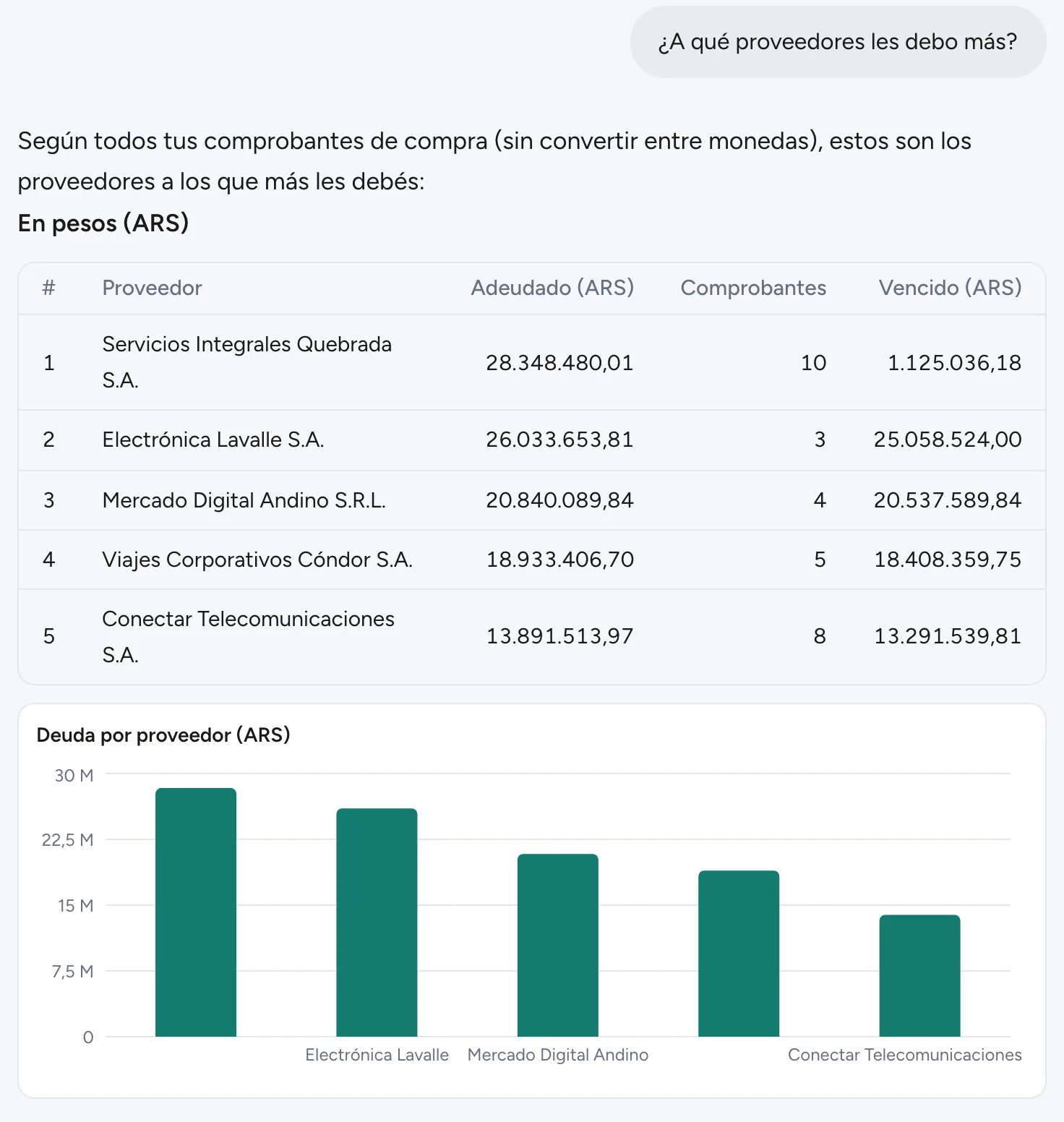
The week starts by checking what is overdue and with whom. Finy computes over all your documents, not a few, and keeps what you have to pay apart from what you are owed.

Ask
  • Which invoices are overdue?
  • Which suppliers do I owe the most?
What you get back
  • One table per currency, largest first
  • What is overdue apart from what is not due yet
  • A chart that shows at a glance where the debt sits
02 · Before the close

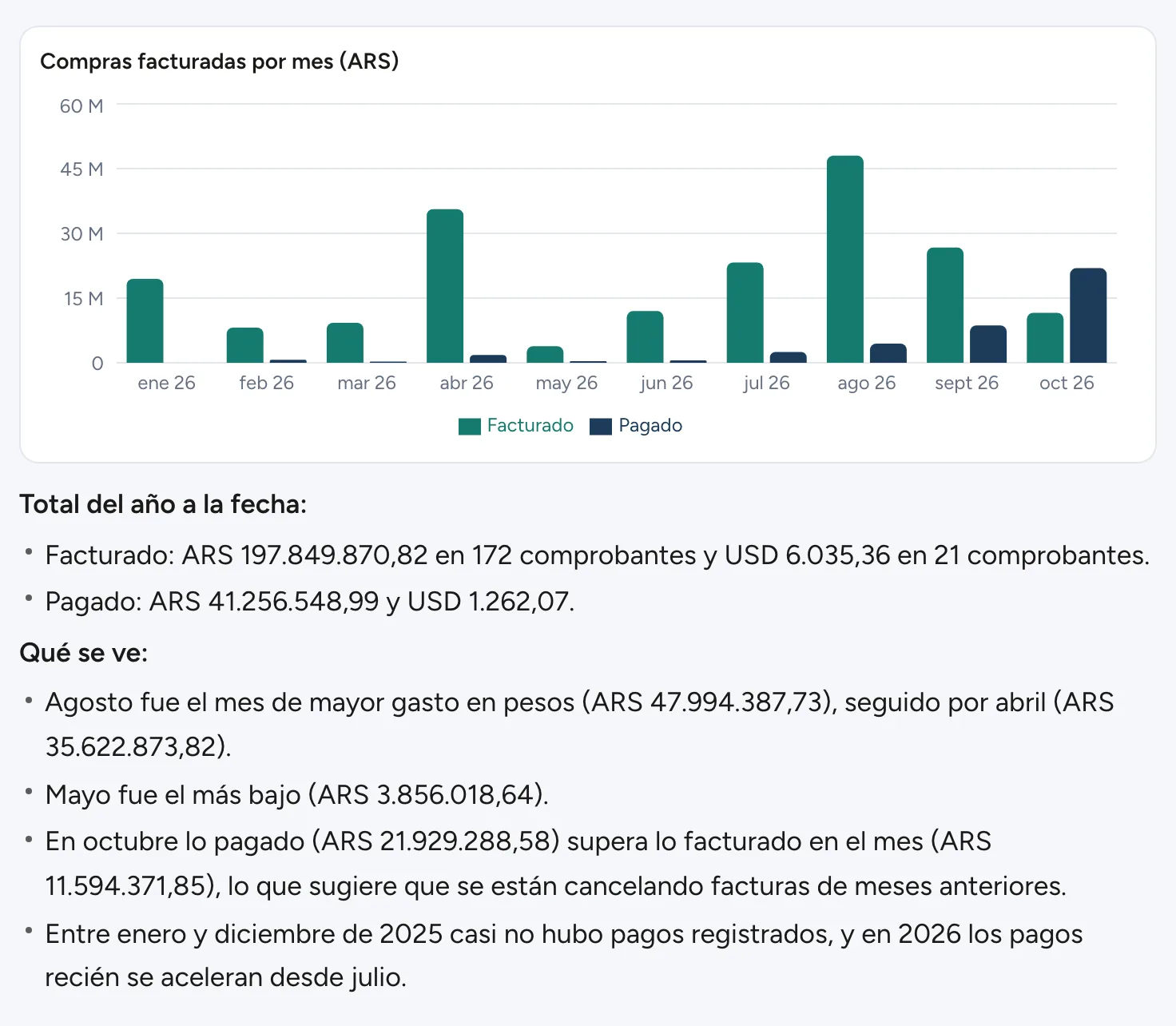
Your spending, month by month

Before closing the month it helps to see how the year is going. Finy builds the table with what was invoiced and paid each month, draws the chart and tells you what it shows: the highest month, the lowest and what stands out.

Ask
  • How did my spending go month by month this year?
What you get back
  • Every month of the period, including the ones at zero
  • Amounts in another currency kept apart, never added to the local currency
  • Under the chart, a short read of what it shows
03 · Planning the week

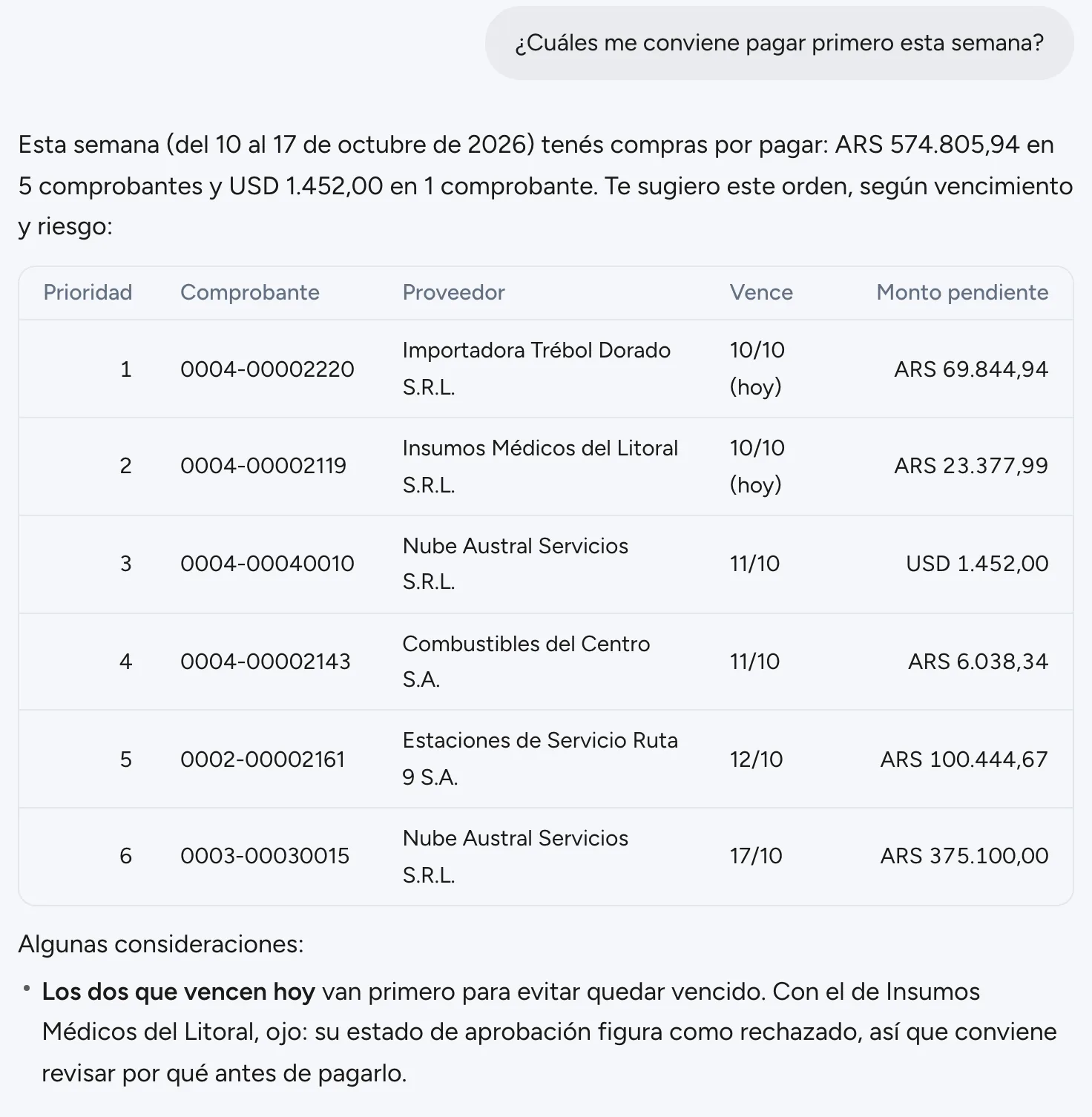
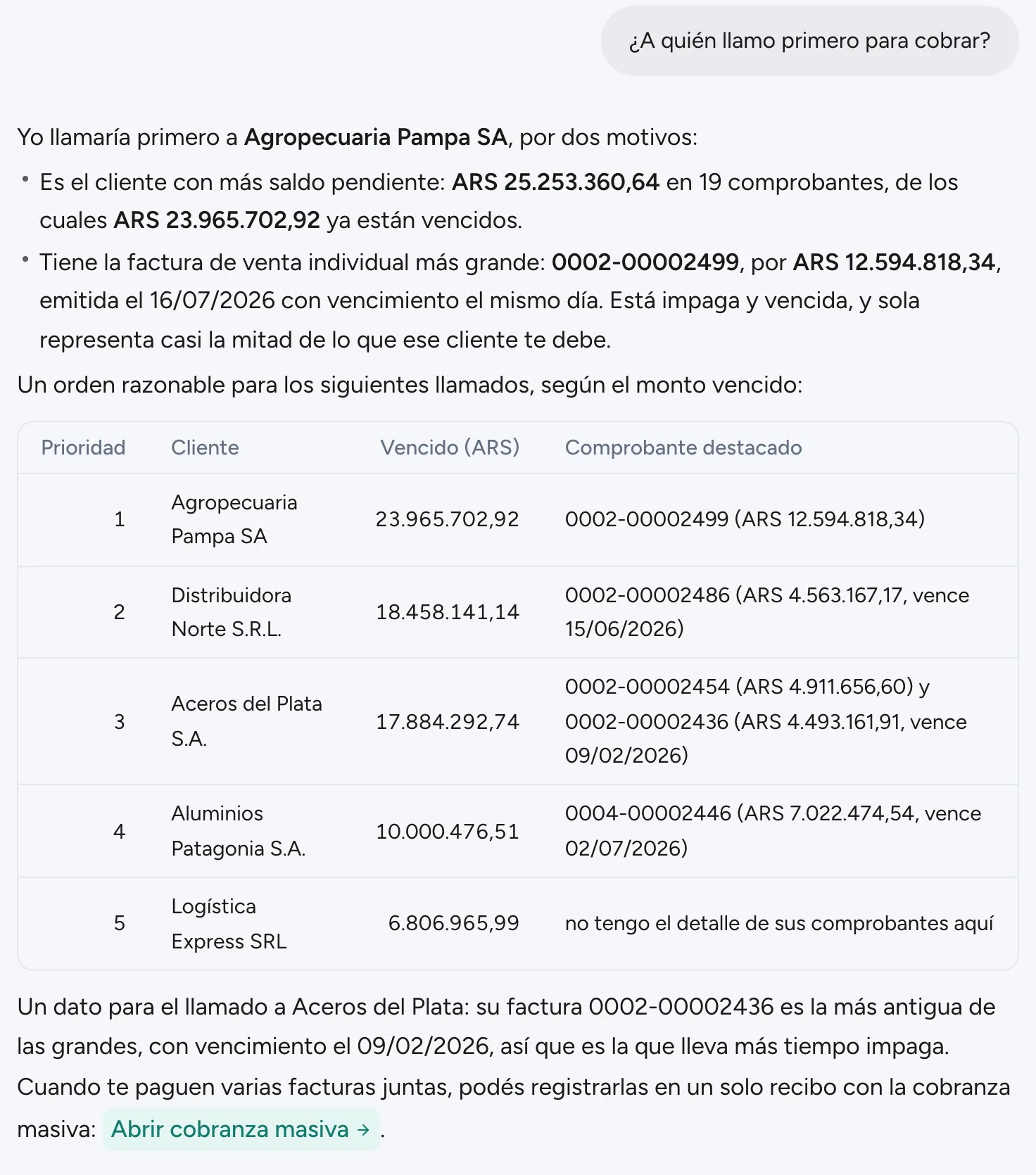
What to pay first and whom to call

Finy does not stop at the list: it suggests an order and explains why. You decide what to do with it.

Ask
  • Which ones should I pay first this week?
  • Whom do I call first to collect?
What you get back
  • An order of payments by due date and risk, and what to check before paying, such as a rejected approval
  • Whom to call first to collect, why, and with which invoice in hand
  • A button to the screen where it gets done, such as bulk collection
04 · Looking at your customers

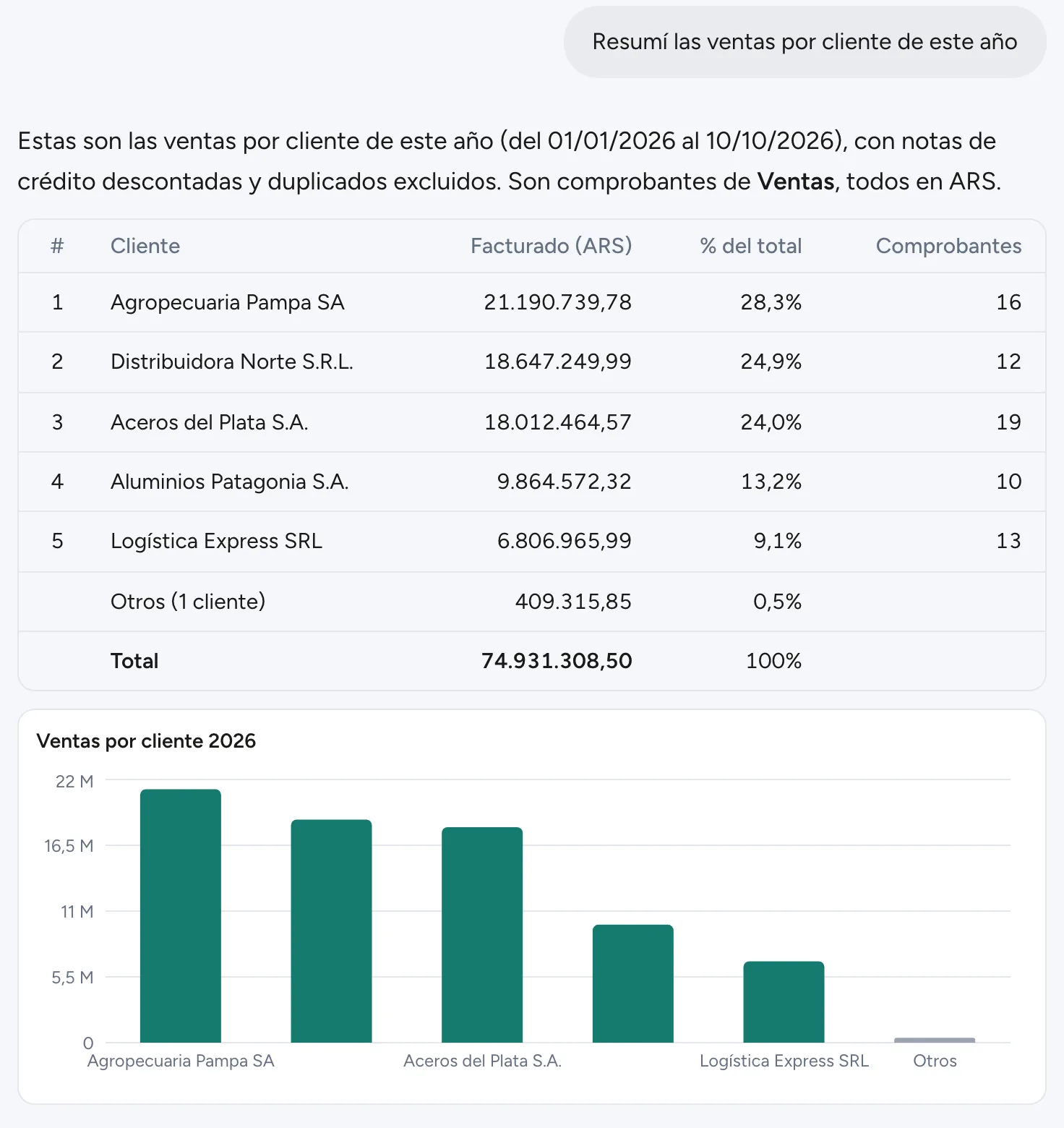
Your sales, customer by customer

To know who your revenue depends on. Finy adds up the period's sales, subtracts credit notes, leaves duplicates out and shows each customer's share of the total.

Ask
  • Summarize my sales by customer this year
What you get back
  • Each customer's percentage of the total
  • The smallest ones grouped as “Others”
  • A chart that shows the concentration at a glance
05 · Reviewing a category

Two suppliers, side by side

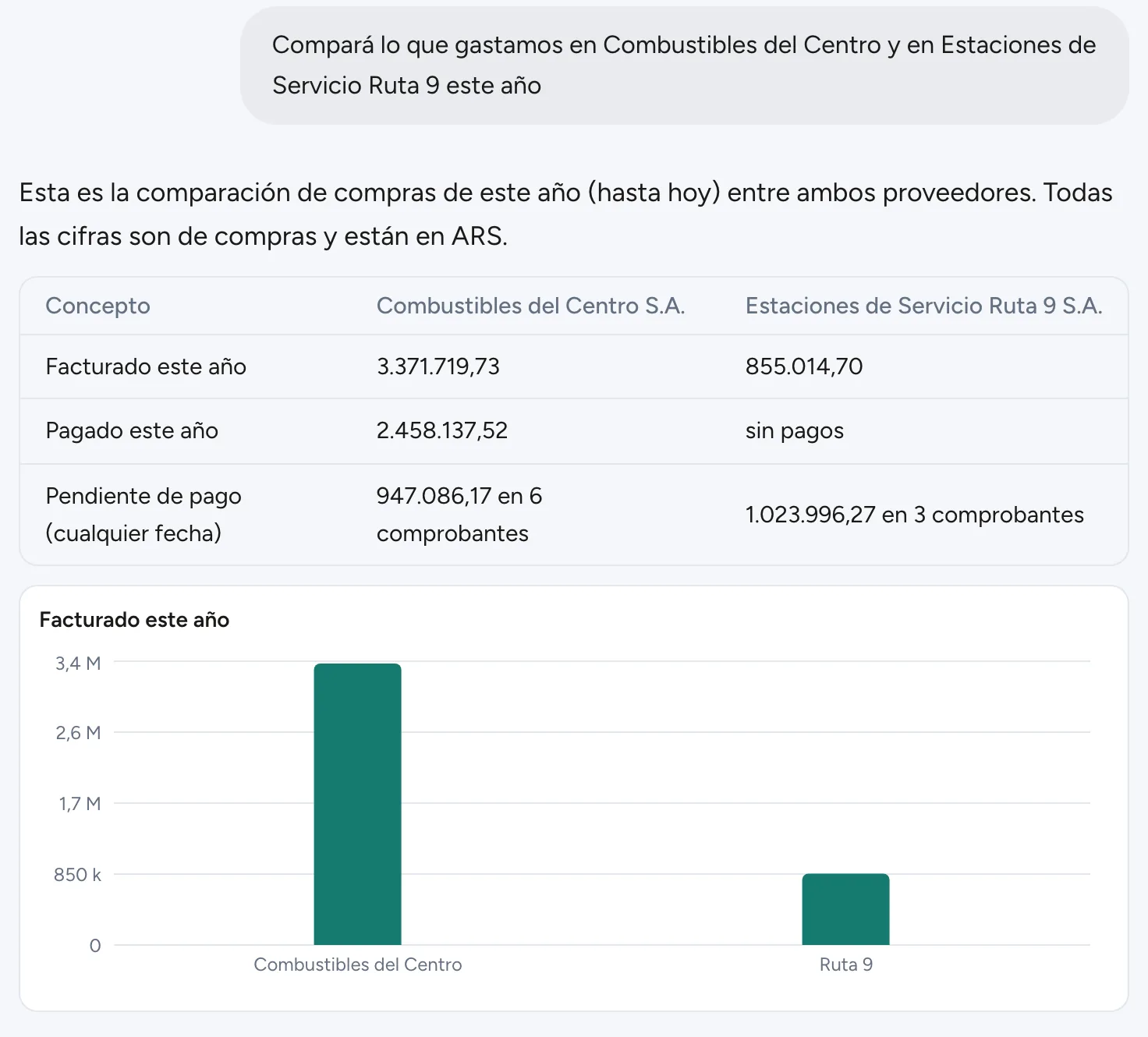
When you review a category, such as fuel or freight, it helps to see two suppliers together. Name both and the period, and Finy compares what each one invoiced, what was paid and what is outstanding.

Ask
  • Compare what we spent with [supplier A] and [supplier B] this year
What you get back
  • Invoiced, paid and outstanding, side by side
  • A chart with the difference
  • What is worth checking, explained
06 · Checking the contextArgentina

The dollar and inflation

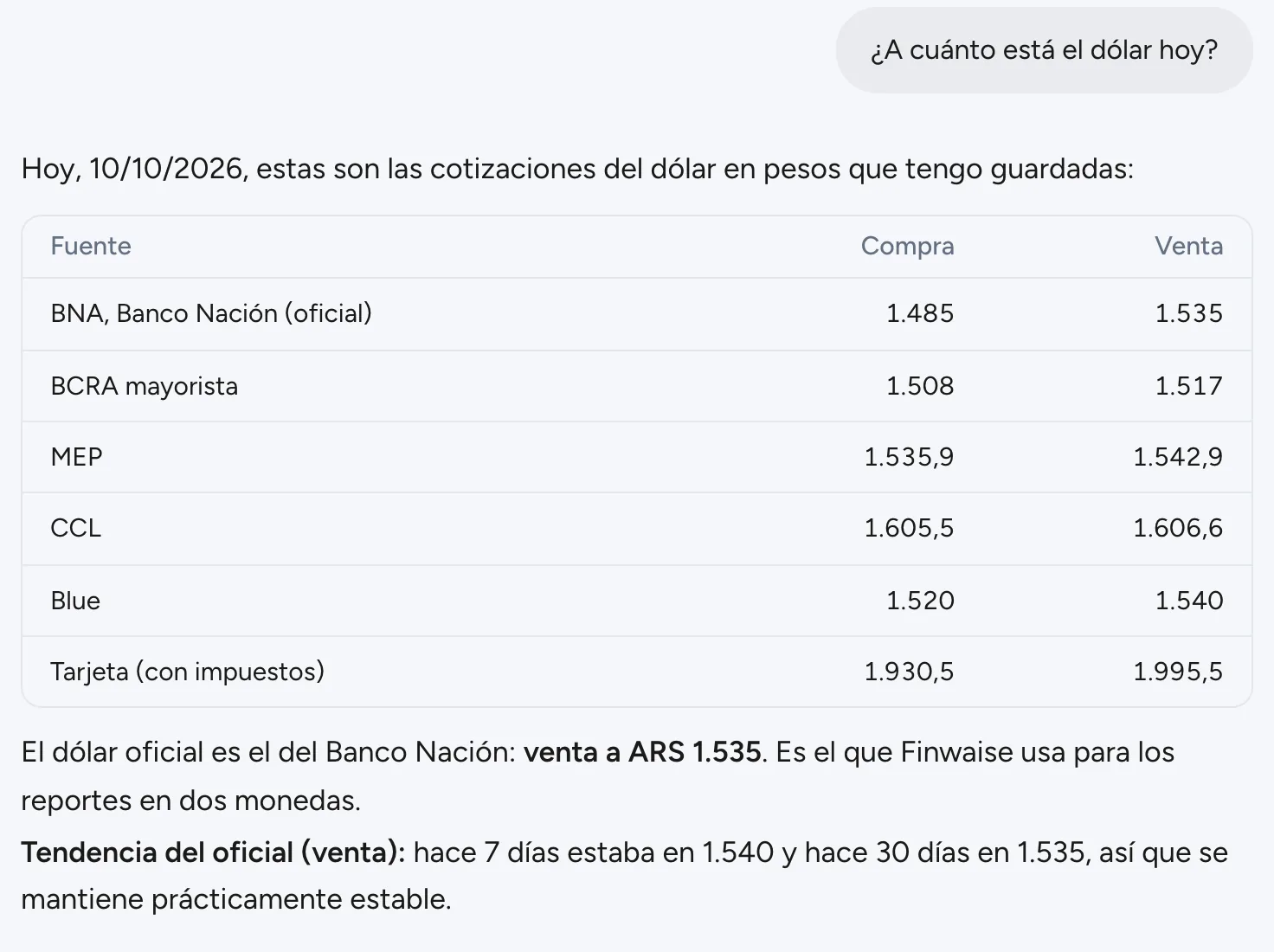
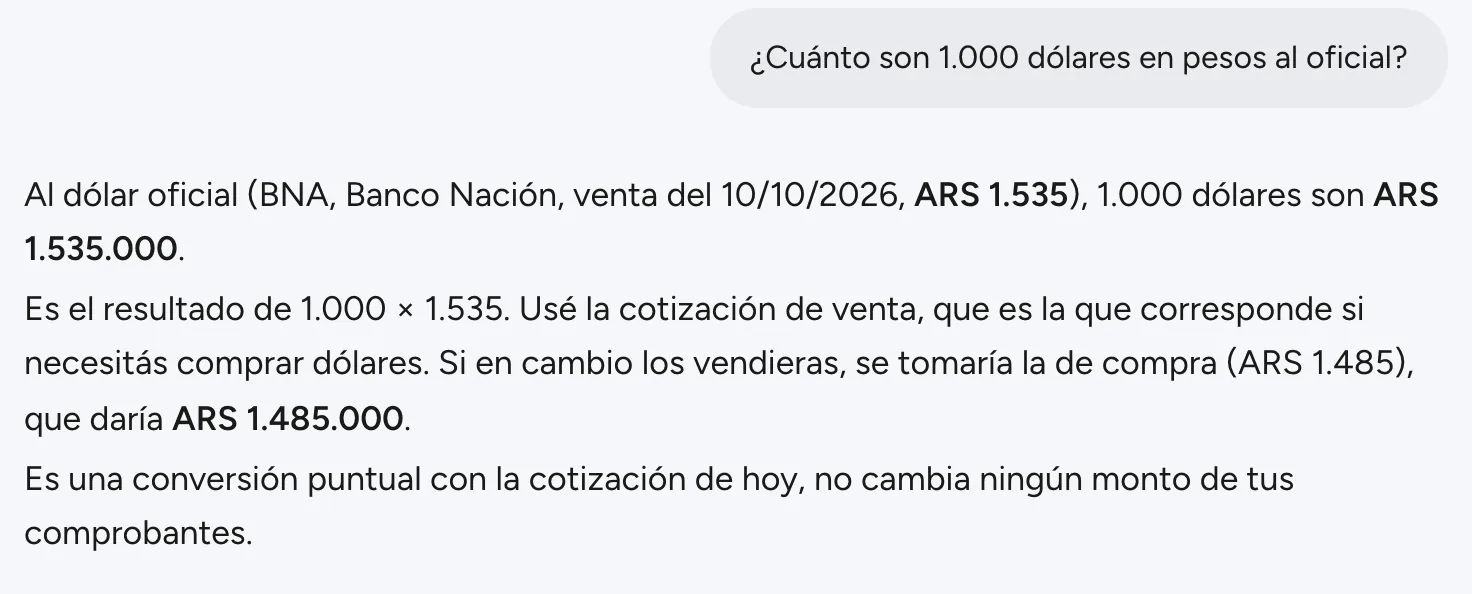
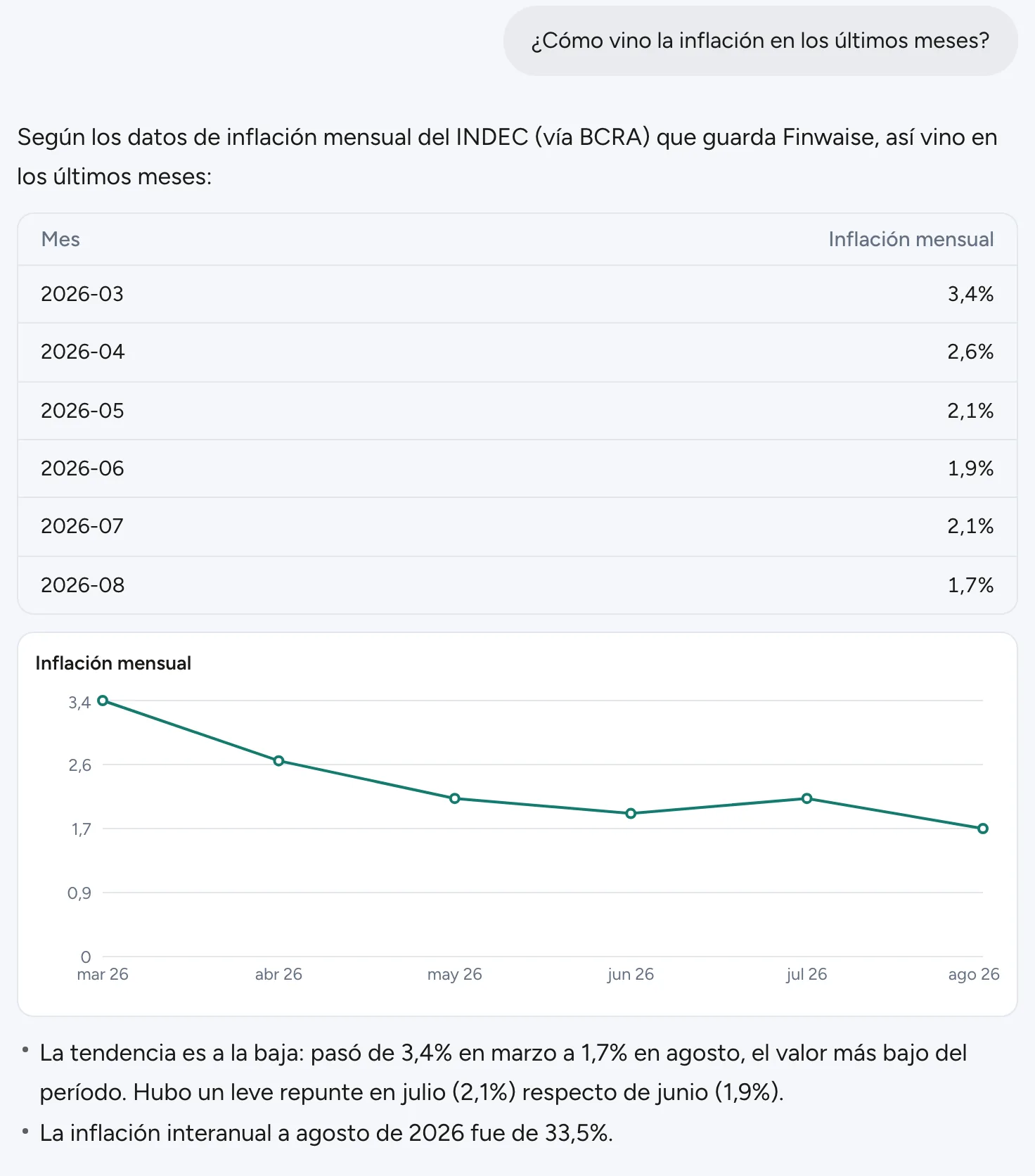
The rates Finwaise stores every day, with date and source, without leaving the system. Ask for a conversion and it tells you which rate it used and why.

Ask
  • What is the dollar rate today?
  • How much are 1,000 dollars in pesos at the official rate?
  • How has inflation been in recent months?
What you get back
  • Official BNA, BCRA wholesale, MEP, CCL, blue and card, with buy and sell
  • In a conversion, when the buy rate applies and when the sell rate does
  • INDEC's monthly inflation in a chart, plus the year-over-year rate

In Costa Rica, Finy answers the dollar with the BCCR reference rate and four banks' board rates. Inflation is, for now, Argentina only.

07 · When documents arrive

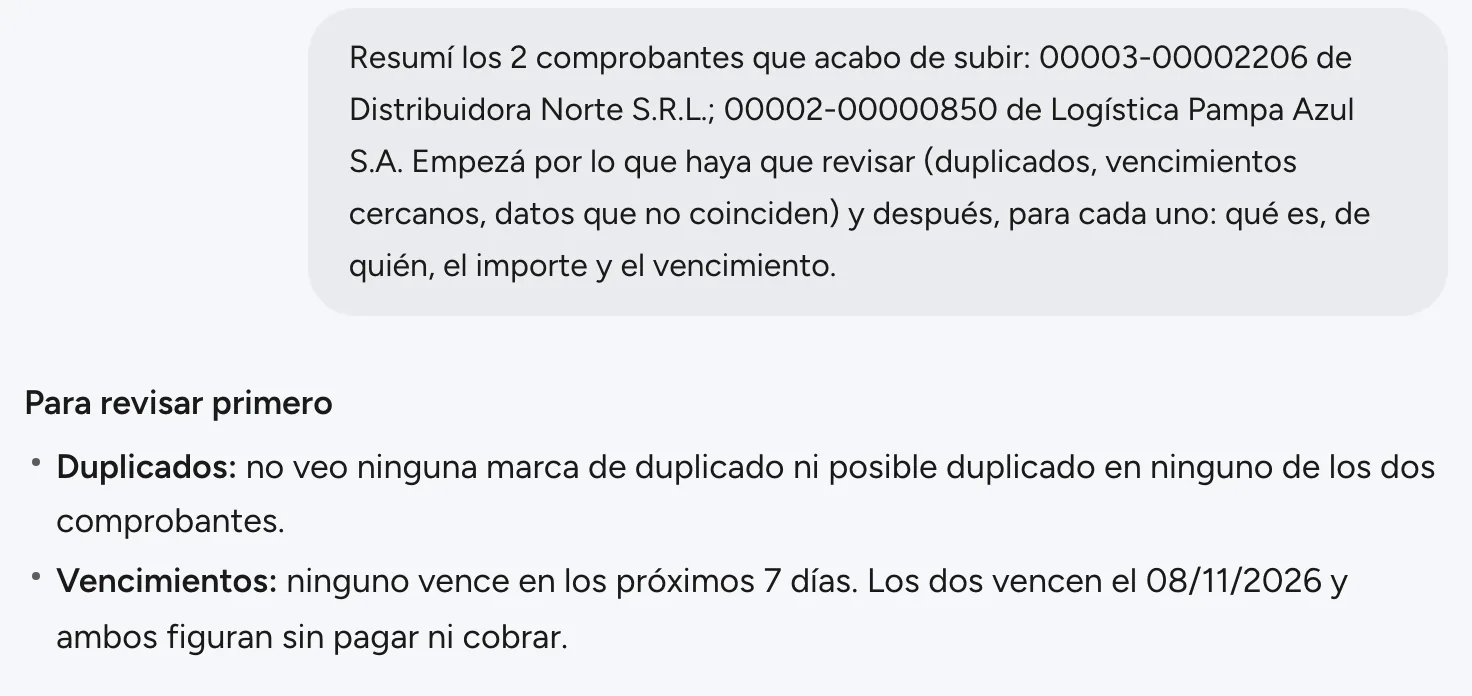
Upload documents in the chat

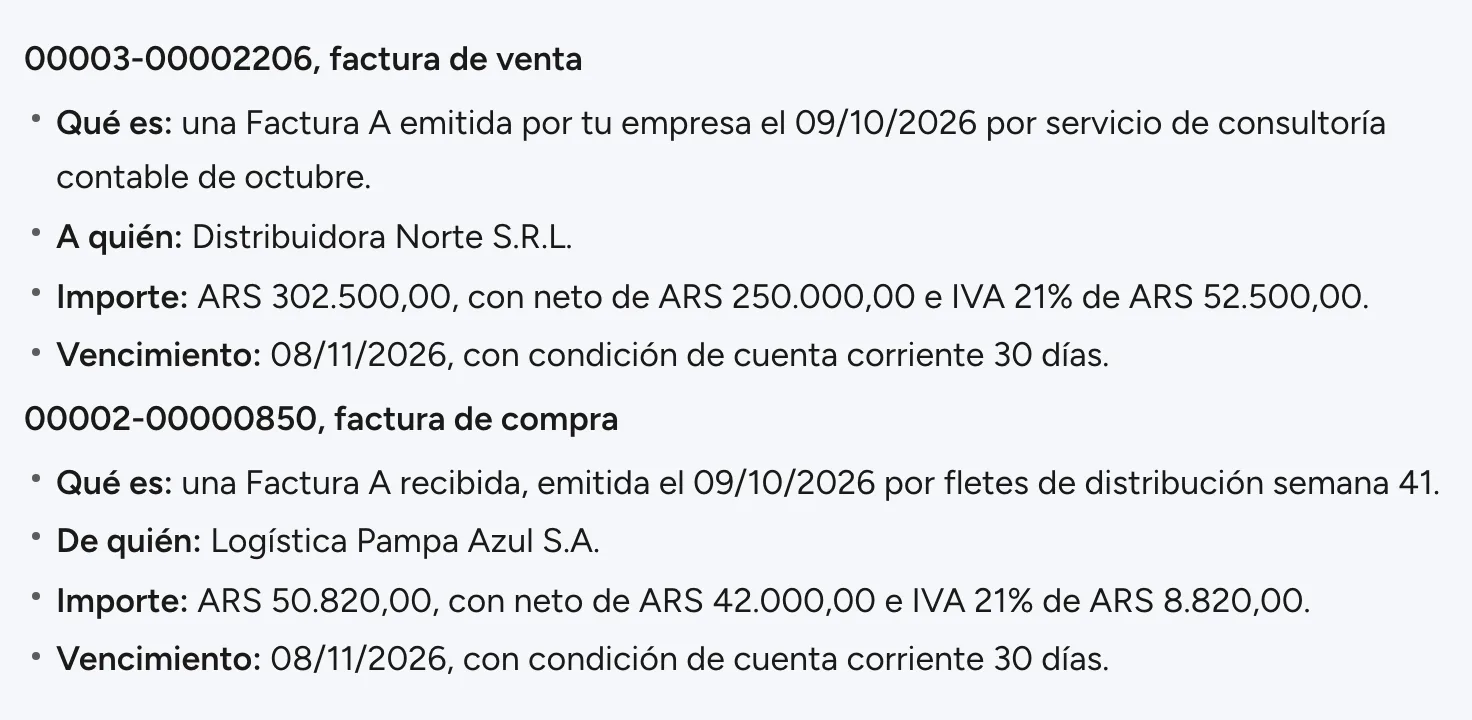
Drag the files onto the chat or use the paperclip. Once Finwaise has processed them, Finy writes a summary that starts with what needs a look: duplicates, upcoming due dates or data that does not match. Then what each one is, who it is from, the amount and the due date.

What you get back
  • Up to 10 files at a time, as PDF, JPG or PNG, each with its progress
  • Purchases and sales kept apart: an invoice your company issued is recorded as a sale
  • First what needs a look, then the detail of each document
08 · When you are not sure how

How it is done in Finwaise

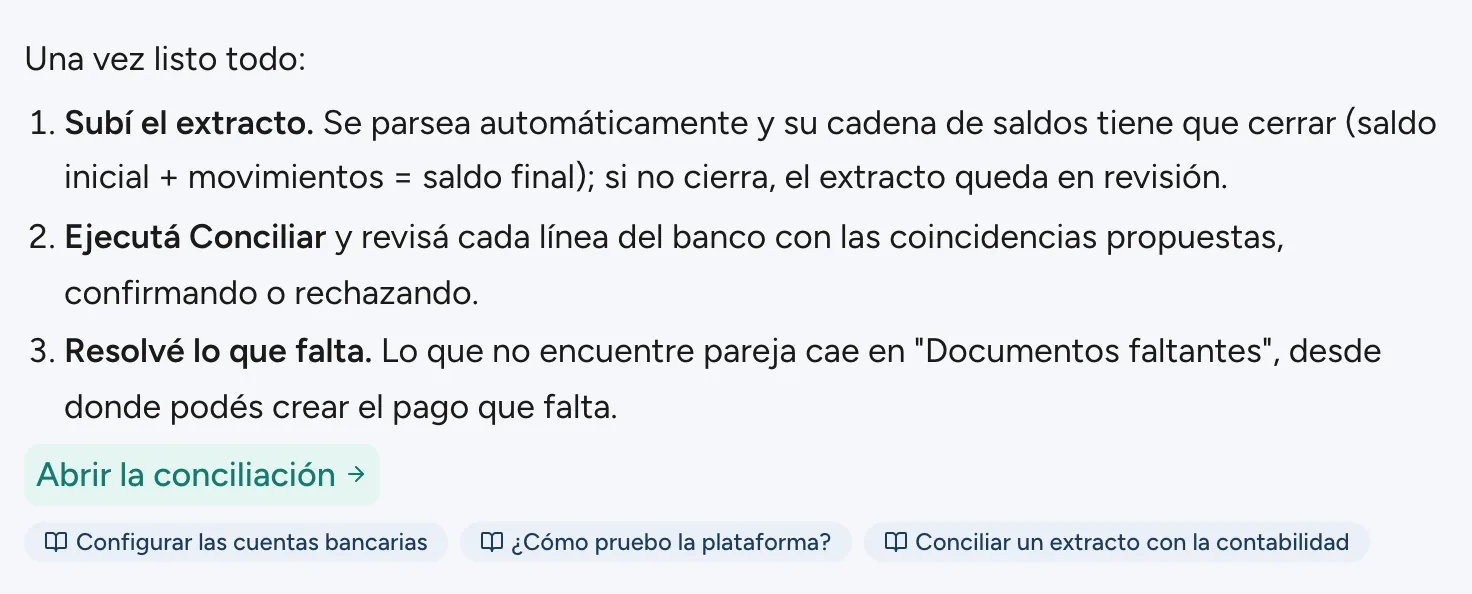
Finy also knows the Finwaise guide. Ask it how something is done and it explains step by step, with a button that takes you to the screen and the guide topics it used.

Ask
  • How do I reconcile a bank statement?
What you get back
  • The steps, in your language
  • A button to the screen where it is done
  • The guide topics, to read more
How it answers

Answers from your company, within your permissions.

From your company's data

It computes on the spot over all your documents and cites the ones it used. Duplicates stay out of totals and credit notes subtract.

In your language

It answers in Spanish, English or Swedish, the language you use Finwaise in.

Within your profile

It sees what you see. If your access profile does not include Sales, Finy does not answer with sales.

Read only

In the chat, Finy never posts, pays, changes or deletes anything. What it proposes elsewhere in Finwaise still waits for your approval.

Like anyone on the team, Finy can make mistakes. That is why every answer shows where its figures come from: check the document before you act.

Also outside Finwaise

Finy's data, from ChatGPT or Claude

If your team already works in ChatGPT or Claude, connect them to Finwaise through MCP and ask the same questions there, with the same permissions. There the answers arrive as tables, without the chart.

Learn about the MCP connection

See Finy with your operation

Book a demo and we will show you what you can ask Finy about your company's numbers.